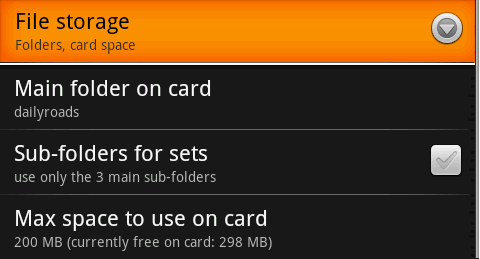
Main folder on card - where to store the video and photo files. Automatic cleanup also checks this folder to search for and delete the oldest temporary video files. If you want to preserve these files until you have time to review them, simply rename the main folder, so you can start fresh. The old folder will remain on the SD card, like any other folder, outside the reach of the application.
Sub-folders for sets - if left unchecked, only 3 sub-folders are created in the main folder. These are named Videos, Tempvideos and Photos, for storing the 3 kinds of files. But, if the option is checked, each time you press the Video or Photo button to start a set, a new sub-folder is created and timestamped.
Max space to use on card - allows you to specify a maximum storage limit to use, when saving video and photo files. When this limit is reached, the automatic cleanup is triggered, and the oldest temporary video files are deleted, to make room for new ones.
 Settings: Photo
 Settings: Upload servers