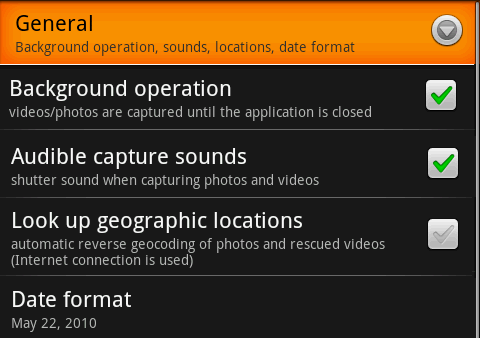
Background operation - if checked, you can continue capturing photos and videos even while you are interacting with other applications, or other activities in DailyRoads SOS. If video is not recording, then photos are captured at the specified time intervals, even while the main screen is not visible.
But, for video recording Android needs a valid preview surface. Thus, when the main screen is put in the background (even just to check the settings, or browse the files), a new video recording sequence is started. The recording only stops when you return to the main screen, or you run out of space on the SD card.
Date format - currently this option is only used when you are interacting with the accumulated video/photo files. Each file (and folder for a set) contains a raw timestamp in the name, which is then presented in a nicer format, so you can interact easier with files.
 Settings
 Settings: Video